Buildable for schools
Buildable gives a secondary school a structured course in building software and using AI responsibly, for pupils aged 14 to 16. We are looking for schools to try it in a free pilot and help shape it. Your school runs the accounts, pupils sign in with a nickname and no email address, and your school stays in charge of pupil data.
Last updated
How does a pilot work?
We talk
What you would like to try, with which pupils, and who leads it. We ask to meet your data protection lead and your safeguarding lead from the start.
We agree how data is handled
Your school is in charge of pupil data and we are its supplier. We sign a written agreement before any pupil signs in, and supply the facts for your impact assessment.
You set up your classes
Your school gets its own address, such as yourschool.buildable.academy. You create classes and make pupil accounts in bulk from a list, with nickname logins.
Pupils start building
In lessons, in a club or at home. We suggest a small group for half a term with two short sessions a week, but we fit what suits you.
We listen
We meet at the start, the middle and the end to hear what worked and what did not, and we change the product in response.
Who creates the accounts, and how do pupils sign in?
Your school does. You create classes and add pupils in bulk from a list. Each pupil signs in with a nickname and a password: no email address and no surname. Your school keeps the list of which nickname is which pupil, so the data we hold does not identify anyone on its own.
If a pupil forgets their password, they ask for a new one from the sign-in page and their teacher approves it from a phone.
What does a teacher see?
Each teacher has their own account and sees only their own classes.
- Progress for every pupil: missions done, when they last finished one, and progress through each unit.
- A review queue of handed-in work: big build chapters and client briefs, shown running, with written feedback and sign-off.
- Each pupil's written reflections, saved projects, awards and printable certificates.
- How many questions each pupil has asked the AI mentor, and a switch to turn the mentor off for a class.
Coding exercises check themselves, so teacher time goes on review and conversation rather than marking.
How much time does it need?
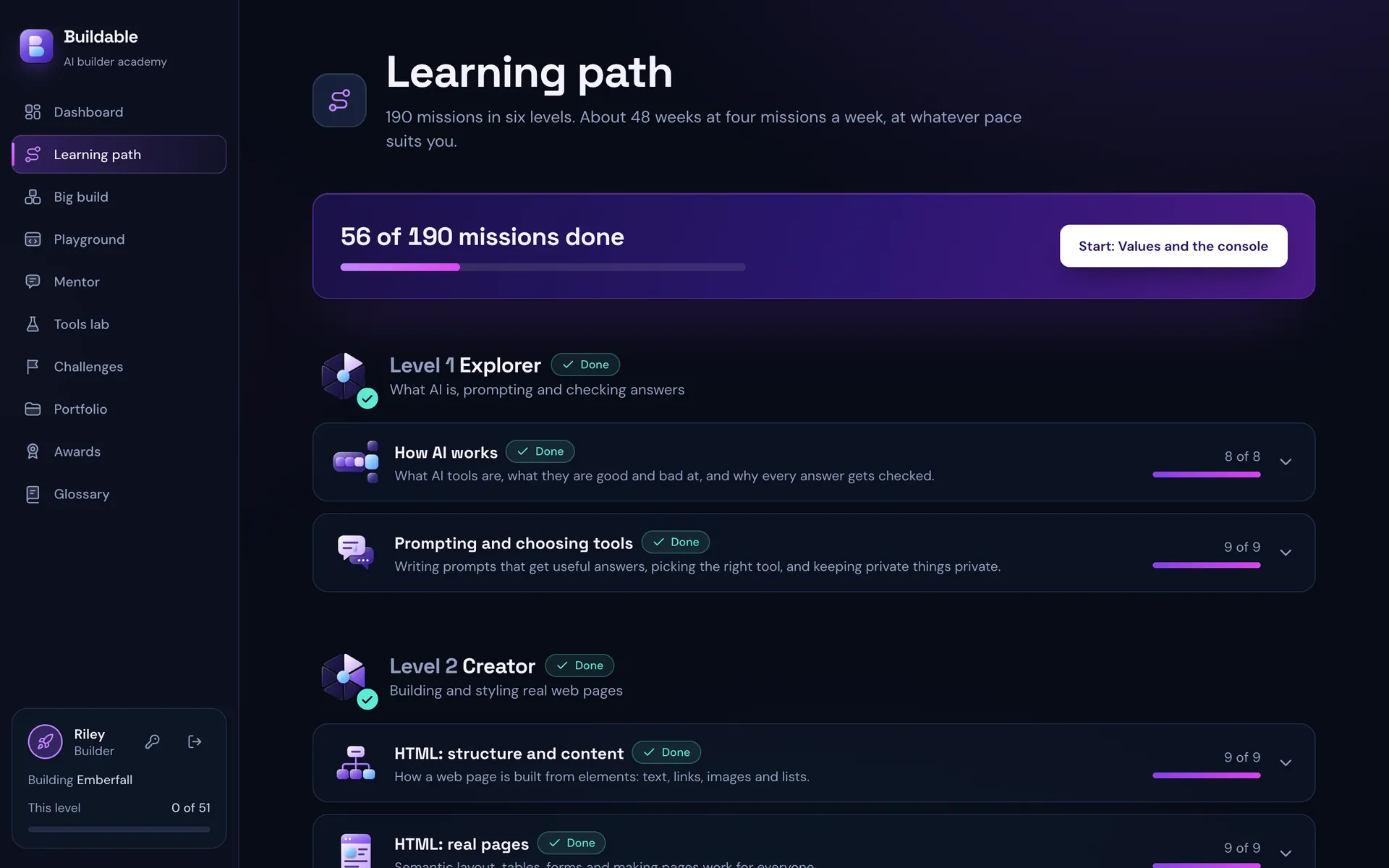
Missions take between 15 and 40 minutes, so a lesson fits one or two, and a pupil can stop after any step and carry on next time. The whole programme is 190 missions, about 48 weeks at four a week. A pilot covers a slice of it, usually starting with Explorer, which needs no coding, or Creator, which starts with HTML.
For staff, the work is setting up classes from a list at the start, then looking at progress and reviewing handed-in work.
Who is responsible for pupil data?
Your school decides how pupil data is used. Reply Intelligence Group, which makes Buildable, is your supplier and follows your instructions under a written agreement. We are registered with the Information Commissioner's Office, registration number ZC192287.
- We hold a nickname, a login, progress, the work a pupil saves, their awards and settings, and a count of mentor questions.
- We hold no email address, surname, date of birth, address, photo or health information for a school pupil.
- We never store mentor conversations. A pupil's question is sent to the AI model provider to be answered, and your school can turn the mentor off.
- We delete a pupil's or a class's data on your instruction, and remove data after a set period stated in our agreement.
- There is no advertising, no profiling and nothing is sold.
The companies we use, and what each one does, are listed on our safety page.
Was it designed with ADHD in mind?
Yes. Buildable began when a parent who builds software for a living made it for his own teenage son, who has ADHD, because school-style learning was not working for him. Each design choice, from one idea per step to awards that can never be lost, is set out with its reason on our ADHD design page, written for parents and for special educational needs coordinators.
Buildable never asks about, records or stores any pupil's diagnosis or health information, and nothing in it labels a pupil. It is the same programme for every pupil in a class.
What about safeguarding?
Pupils cannot message each other or see each other's work: the database enforces it, not only the screens. There are no public profiles.
If a pupil writes something to the mentor that suggests they may be at risk, the message never reaches the AI model. They get a fixed reply, written by people, telling them to talk to a trusted adult and giving UK helplines.
The tools lab teaches real AI and developer tools and shows each one's age rule, read from the provider's own terms. Where a tool is for adults or for 16 and over, staff demonstrate it or leave it out.
Questions from schools
Is the pilot free?
Yes. There is no charge for a pilot. We are looking for schools to try Buildable and tell us what works and what does not.
Do pupils need an email address?
No. Your school creates accounts in bulk from a list, and each pupil signs in with a nickname and a password. No email address or surname is needed, and your school keeps the list of which nickname belongs to which pupil.
Can we turn the AI mentor off?
Yes. The mentor is included for every pupil with a fair-use allowance, and your school can switch it off for a class or for the whole school.
Can staff read what pupils ask the AI mentor?
No. We do not store mentor conversations, so neither we nor your staff can read them later. Only the number of questions is kept, and teachers can see it. A pupil's question is sent to the AI model provider to be answered. If your safeguarding lead needs oversight of every message, switch the mentor off.
Who is the data controller?
Your school. It decides how pupil data is used, and Reply Intelligence Group, which makes Buildable, acts as its supplier and follows its instructions under a written agreement. We are registered with the Information Commissioner's Office, number ZC192287.
Where is pupil data stored?
In a database run by Supabase, on a site hosted by Vercel. We list every company we use and what each does on our safety page, and we give your data protection lead the details of where each one stores data before a pilot starts.
Can we delete a pupil's data?
Yes. On your school's instruction we delete a pupil's data or a whole class's, and data is removed after a set period that we state in our agreement with your school.
Who wrote the lessons?
The lesson text was written with AI to a detailed written guide, and is being reviewed by people. Every coding exercise has a reference answer that is tested automatically to pass its checks, and the starting code is tested to fail them.
Does Buildable replace a computing teacher?
No. It gives pupils a structured route and automatic checks on their code, which frees a teacher's time for conversation, review and the pupils who need them most.
Talk to us about a pilot
Tell us a little about your school and what you would like to try. We will arrange a conversation with you and, if you like, your data protection and safeguarding leads.
Our contact address is being set up and will appear here shortly. Please check back soon.